Friction story 04 · Storage & finding
Put an End to Hunting
You are ready to leave. Your keys have apparently made independent arrangements.
Category guidance · Item finders are not emergency or personal-safety equipment
Find the point where the routine breaks
The keys are usually not lost in the grand geographical sense. They are in yesterday’s coat, under a receipt or beside the bag you meant to empty. A gadget can help locate them, but first notice the moment when your hand lets go.
Do you enter carrying shopping? Does the existing key hook require opening a cupboard? Is the tray too far from where you remove your coat? Storage often fails because it sits where it looks tidy rather than where the action happens.
Choose a safe location that does not expose keys through a letterbox, open window or easily reached doorway. Then try an existing shallow container. It should be easy to see into and large enough for the intended item, not large enough to become a general archive of unidentified small objects.
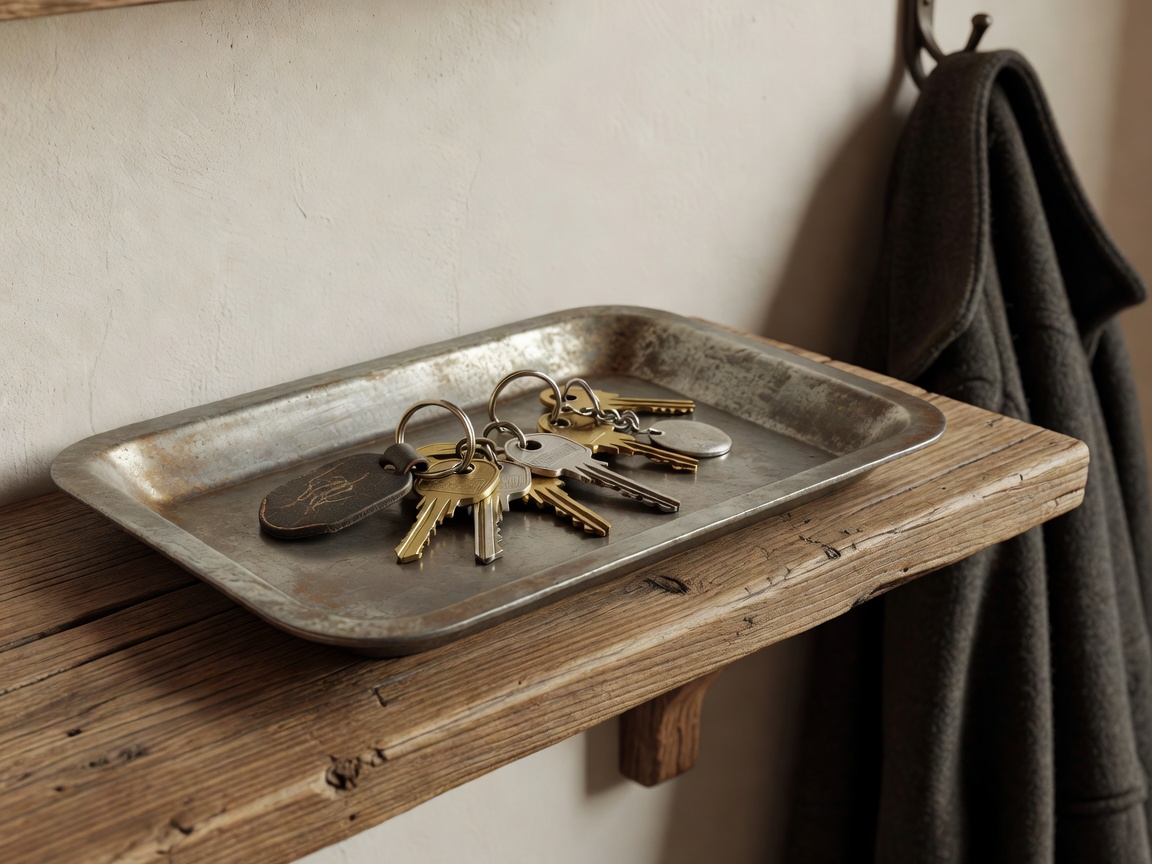
Attempt one: make the home unmistakable
A contrasting tray can help an object stand out. A raised edge stops small items sliding away, while a shallow profile makes them easier to retrieve. A deep decorative bowl may conceal exactly the thing it was bought to organise.
Labels can help when several similar objects share a space. Use clear words, meaningful tactile markers or both, according to the people using the system. Colour alone may not distinguish items reliably for everyone. A textured marker on the correct remote can be more useful than another storage compartment.
Keep the system small. Assigning every possession a complicated address turns tidying into data entry. Start with the object you search for most often, then see whether the new arrangement survives ordinary tired evenings. If it does not, move the storage before blaming your memory.
A tray changes the putting-down habit. A tracker helps after the item has moved. They solve different parts of the story.
Attempt two: add a finder deliberately
A Bluetooth item finder can make a misplaced object ring when the phone and finder can communicate. Range varies with walls, interference, construction and device design. A marketing distance measured in open space is not a reliable promise for a home with thick walls.
Some finders can use a wider network of compatible devices to report an approximate location when the item is away from your phone. That is not the same as continuous GPS tracking. Updates depend on the ecosystem, nearby participating devices, settings and connectivity. A location may be old; always read its timestamp.
Apple Find My and Google Find Hub are distinct ecosystems. Samsung SmartThings Find is another relevant platform. Products sold by Tile or Chipolo also differ by model and supported network. Check the exact product listing and current documentation, not merely the brand name or the shape of the tag.
Some combinations offer ultra-wideband, or UWB, features for more precise nearby guidance. These require compatible hardware and may have regional restrictions. Owning a phone with Bluetooth is not proof that every advertised finding feature will work.
A map pin is a clue with a timestamp, not a promise that your keys are waiting politely at that exact spot.
Listen to the accessibility and privacy details
A ringing tag is useful only if its sound can be perceived in the relevant setting. Consider hearing needs, background noise and whether visual or vibration guidance is supported. Small attachment holes, battery covers and app controls can also create barriers that a headline feature list misses.
Location services involve permissions, accounts and platform policies. Read what information is collected, how sharing works, and what happens when an item is removed from an account. Do not attach a tracker to someone else’s belongings to monitor them without informed permission. Anti-stalking alerts are important safeguards, not inconveniences to bypass.
A finder is not a substitute for supervision, an emergency response service or appropriate equipment for a vulnerable person or animal. If theft is suspected, do not use an app location as a reason to confront someone. Follow local reporting procedures and treat location information as potentially incomplete.
Count the battery and the attachment
Check whether the battery is replaceable, rechargeable or sealed inside the device. Some tags use CR2032 coin cells. Coin and button batteries can cause severe injury if swallowed; keep loose batteries and accessible devices away from children and pets, and follow local emergency guidance immediately if ingestion is suspected.
A tag also needs to remain attached. A cheap holder that splits can leave you locating the holder rather than the keys. Look at the complete package: tag, attachment, battery, any optional subscription and the effort required to maintain account access.
Keep the finder if it reliably reduces the searches you still have after improving storage. Test its sound and connection occasionally, and understand its limits before relying on it outside the home. If a tray ends the problem, enjoy the absence of another battery to remember.
Check current platform details at Apple Find My and Google Find Hub. The Bluetooth SIG provides background on Bluetooth technology.